
How to Design a Survey in 10 Steps
A 10-step guide to writing, testing, distributing, and analyzing a survey that answers a real research question.
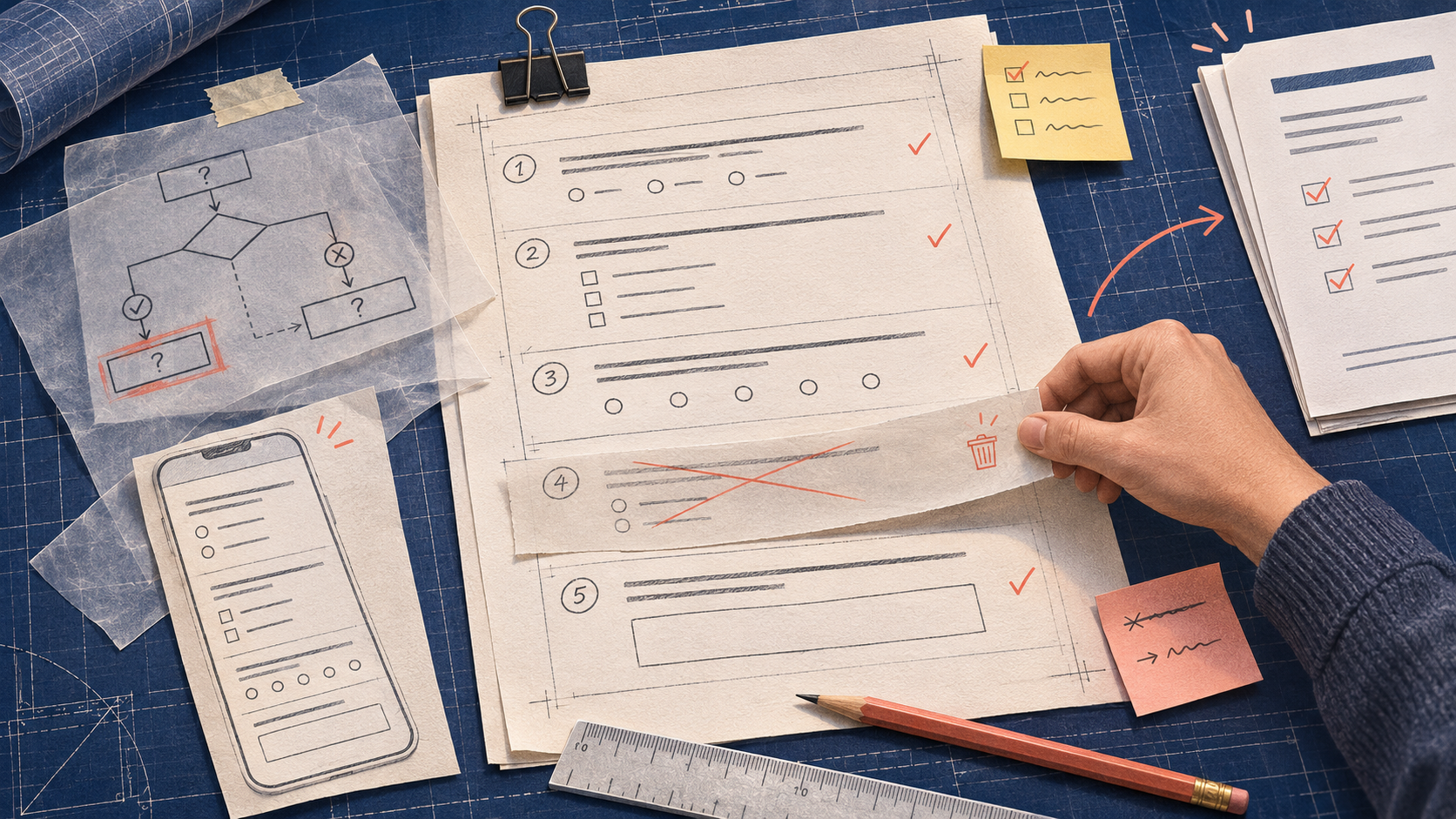
A useful survey begins with a specific decision and ends with an action. This 10-step process helps you avoid the common trap of publishing a long questionnaire before deciding what the results will mean.
Ten steps with a concrete deliverable
| Step | Deliverable to save before moving on |
|---|---|
| 1. Name the decision | One sentence describing the possible actions. |
| 2. Define the audience | Eligibility, geography, experience window, and exclusions. |
| 3. Plan the sample | Sampling frame, invitation channel, and limits on inference. |
| 4. List measures | A question-to-decision map with a planned denominator. |
| 5. Draft items | Neutral wording, one idea per item, defined reference periods. |
| 6. Specify answers | Mutually exclusive options where required, honest opt-outs, labeled scales. |
| 7. Build flow | Branch map including shortest and longest respondent paths. |
| 8. Write invitation | Accurate purpose, burden, privacy statement, and incentive terms. |
| 9. Pilot and revise | Issue log, mobile timing, comprehension notes, tested final version. |
| 10. Launch and analyze | Versioned export, cleaning log, tabulation, limitations, action owner. |
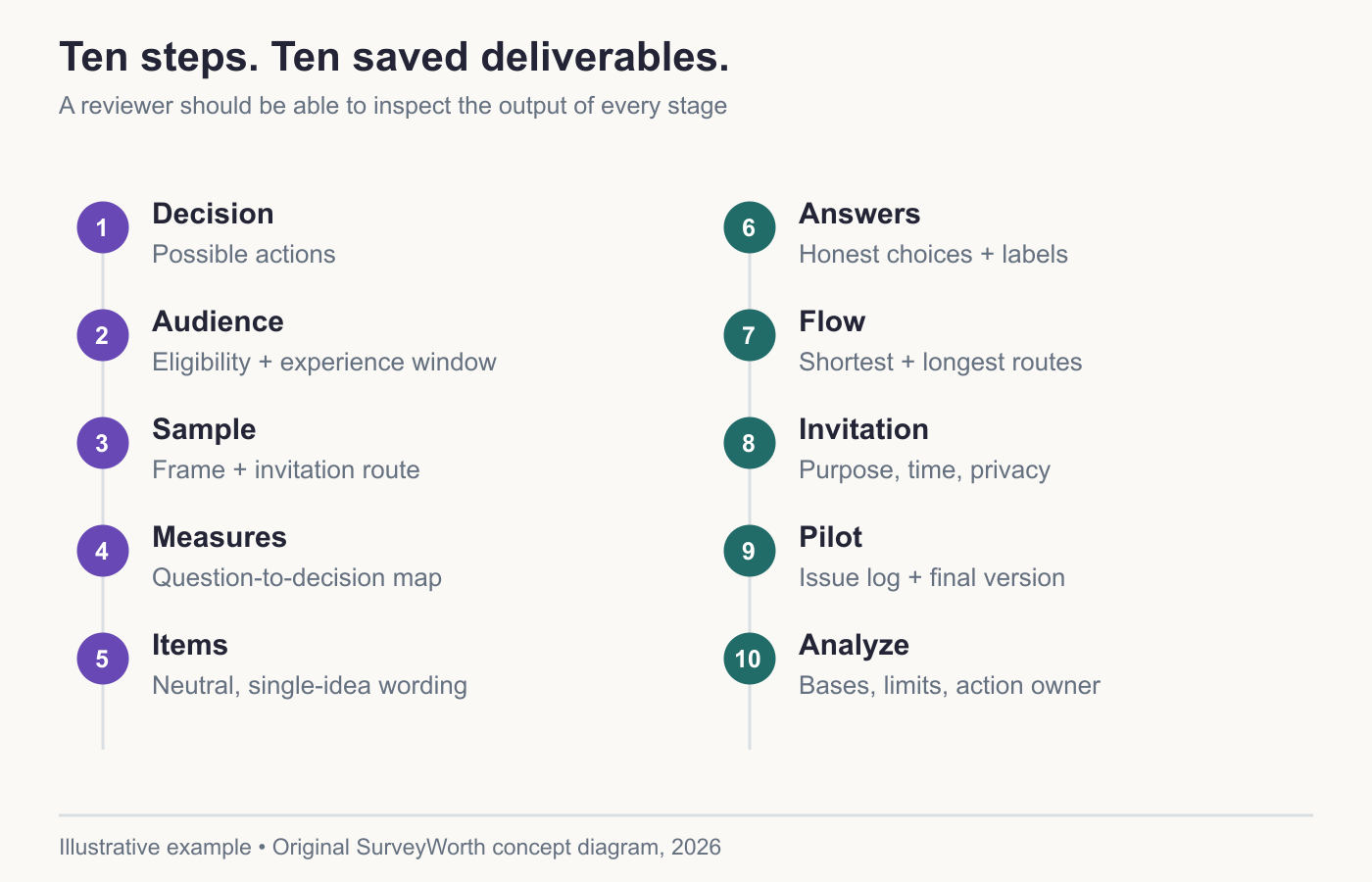
Image source: Original SurveyWorth conceptual diagram, 2026. Illustrative, not observed data or a product screenshot. Based on “Ten steps with a concrete deliverable”.
For example, a support-portal team might decide between rewriting help content and changing navigation. Its key item asks whether the visitor found an answer; a follow-up asks what was missing only if the answer was partly or no. The export must distinguish a branch-skipped follow-up from a respondent who saw it and declined to answer. If that distinction is lost, the planned analysis cannot be reproduced. A step is complete only when its deliverable exists, not when a form-building screen has been clicked.
Work backward from the report you need
Before creating the first page, sketch the report you expect to deliver. It might contain one overall outcome, three problem categories, a comparison between new and returning customers, and a list of recommended changes. If a question will never appear in that report or change a recommendation, it is a candidate for removal. This reverse planning also reveals missing questions before launch.
For each measure, record the exact construct. “Ease of checkout” is not the same as “time to checkout” or “satisfaction with checkout.” If the decision is whether to simplify a form, an ease question and observed completion data may help. A recommendation question about the whole brand is unlikely to diagnose the form.
Draft a concrete questionnaire map
Suppose the goal is to improve a support portal. A compact map could be:
| Decision | Item | Format | Analysis |
|---|---|---|---|
| Is finding an answer the main problem? | “Were you able to find the answer you needed today?” | Yes / partly / no | Share of eligible respondents by outcome |
| Which pages need work? | “What information was missing?” | Optional open text | Code themes and compare with page |
| Should we prioritize mobile fixes? | Device captured with appropriate notice, or a device question | Device category | Compare outcomes by device with adequate bases |
The map makes it clear that a general satisfaction score alone is insufficient. It also makes the privacy issue visible: if device data are captured automatically, the survey introduction must match that practice.
Build robust answer options
Write choices from a respondent’s point of view. For frequency, specify the period: “How many times in the past 30 days?” Give non-overlapping choices or a numeric field with reasonable validation. For a reason question, avoid options that combine different causes, such as “too slow or too expensive.” Include a way to answer truthfully when none of the listed reasons apply.
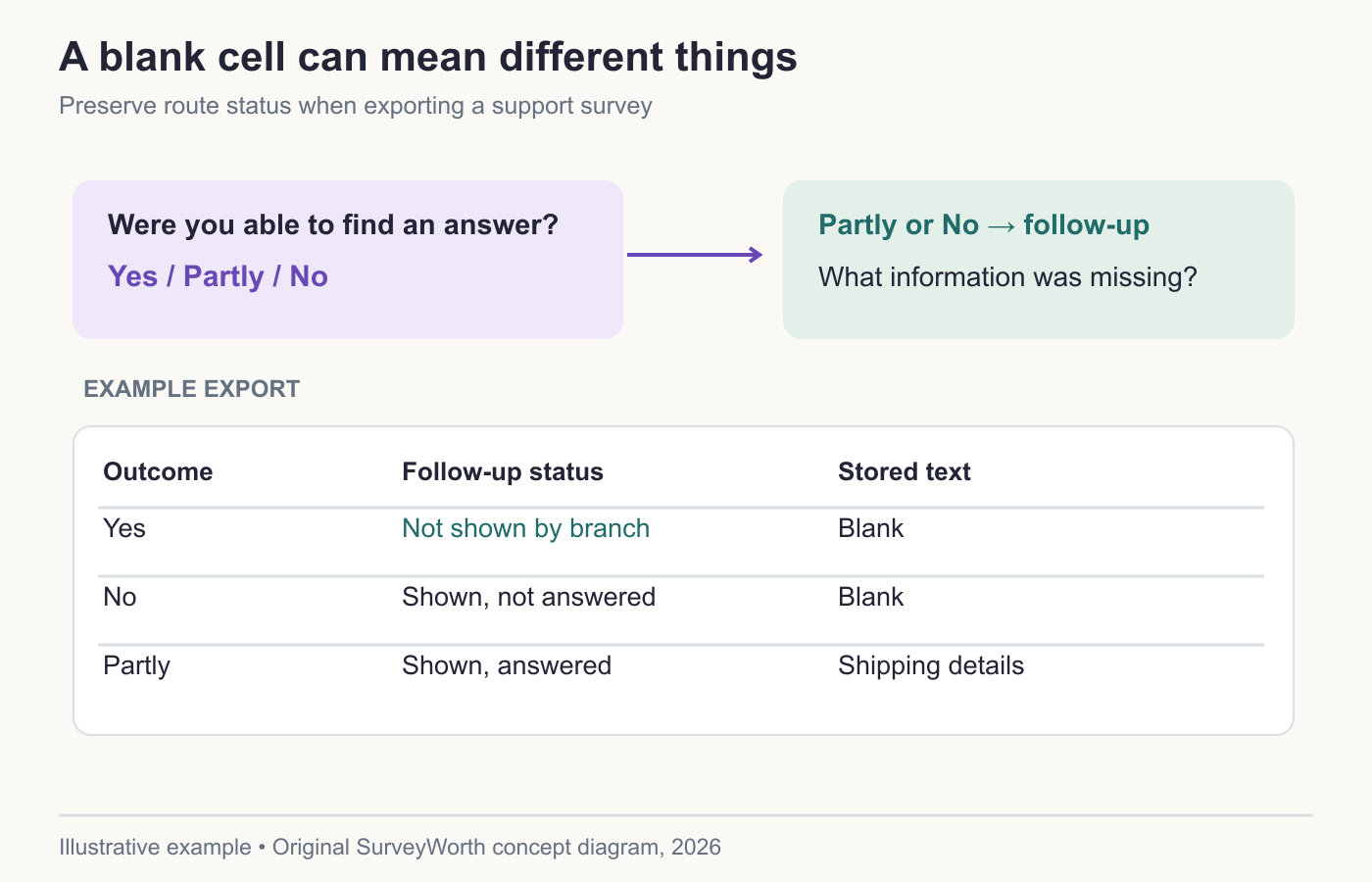
Image source: Original SurveyWorth conceptual diagram, 2026. Illustrative, not observed data or a product screenshot. Based on “Build robust answer options”.
Use skip logic when it prevents an impossible question. A customer who never contacted support should not rate the support agent. However, every branch should preserve a clear path to completion. Test the longest and shortest paths and ensure that missing answers caused by branching are distinguished from skipped answers in the export.
Recruit and pilot before scaling
A customer list, a website prompt, and a paid panel reach different people. Select the channel that matches the target population and record who was excluded. Pilot the full flow with people unfamiliar with the draft. Ask them to say what each question means and time the experience on a phone. Revise, then retest changed logic. Do not equate a technically successful submission with comprehension.
Plan collection and analysis controls
Write the survey version, field dates, incentive terms, and quality rules before launch. Decide how you will handle incomplete responses, duplicate submissions, and small subgroups. After collection, preserve the raw export and create a documented analysis copy. Report the number who answered each item, not only the total number who opened the form.
A complete survey project ends with an action log: finding, evidence, limitation, owner, proposed change, and date to check the result. That is the point at which answers become useful.
Turn the ten steps into deliverables
A ten-step list is only useful if another person could review the output of each stage. QuestionPro’s goal-setting article starts with a decision, while Typeform’s survey workflow runs from goal to action. Their lists are planning aids; a team still needs a local owner and a definition of success. For a support-portal study, the brief could state: “Decide whether to rewrite help content or change search results for U.S. visitors who tried to solve an issue in the last 30 days.”
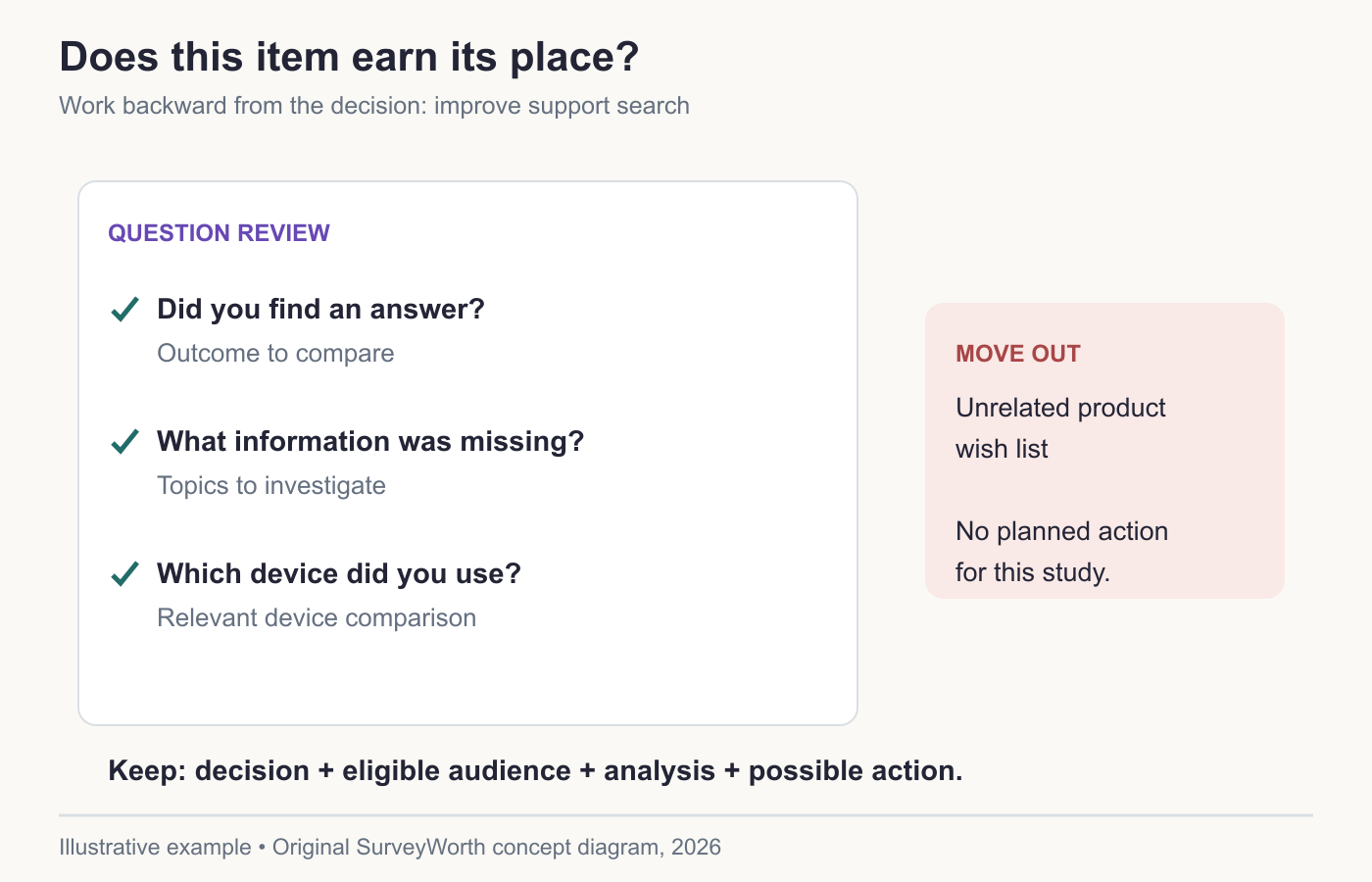
Image source: Original SurveyWorth conceptual diagram, 2026. Illustrative, not observed data or a product screenshot. Based on “Reject a question that cannot change the decision”.
Before fielding, attach four artifacts to that brief: the population and invitation rule, an item map connecting each question to an analysis, a tested questionnaire version, and a reporting template with bases and limitations. Typeform’s design checklist covers question form, branching, mobile use, and pilot testing; use those as checks on the artifacts rather than as extra questions to add. The pilot should reveal whether “found an answer” means the same thing to respondents and the team; the neutral-question guide gives a wording review. After collection, the decision owner should be able to say what evidence would change the page or search interface. For the hands-on testing procedure, follow the pilot guide.
Reject a question that cannot change the decision
Stakeholders often request demographics, brand opinions, and product wishes “while we have people here.” For every proposed item, fill in: the decision it affects, who can answer it, how it will be analyzed, and what action follows each plausible result. If a row remains blank, remove the item or move it to a separate study. Typeform’s article on when not to use surveys is a useful check against forcing a questionnaire onto an observation problem. Nielsen Norman Group’s method-selection article makes the same distinction for behavior and recall. A shorter, narrower instrument can produce a more defensible report because each answer has a declared use.
Choose tools for your next survey.
Explore survey creation software and research tools for your project.
Explore survey softwareKeep reading.

How to Test a Marketing Campaign With Surveys
Use surveys before, during, and after a campaign to test message clarity and track audience response without overclaiming causality.
Read the guide
How to Measure Brand Awareness With a Survey
Measure unaided recall and aided recognition with balanced survey questions and careful sampling.
Read the guide
How to Design a Product Testing Survey
Write product concept, prototype, and post-launch survey questions that fit what participants have actually experienced.
Read the guide