
How to Pilot Test a Survey Before Launch
Use a practical survey pilot checklist to catch confusing questions, broken logic, missing choices, and mobile problems.
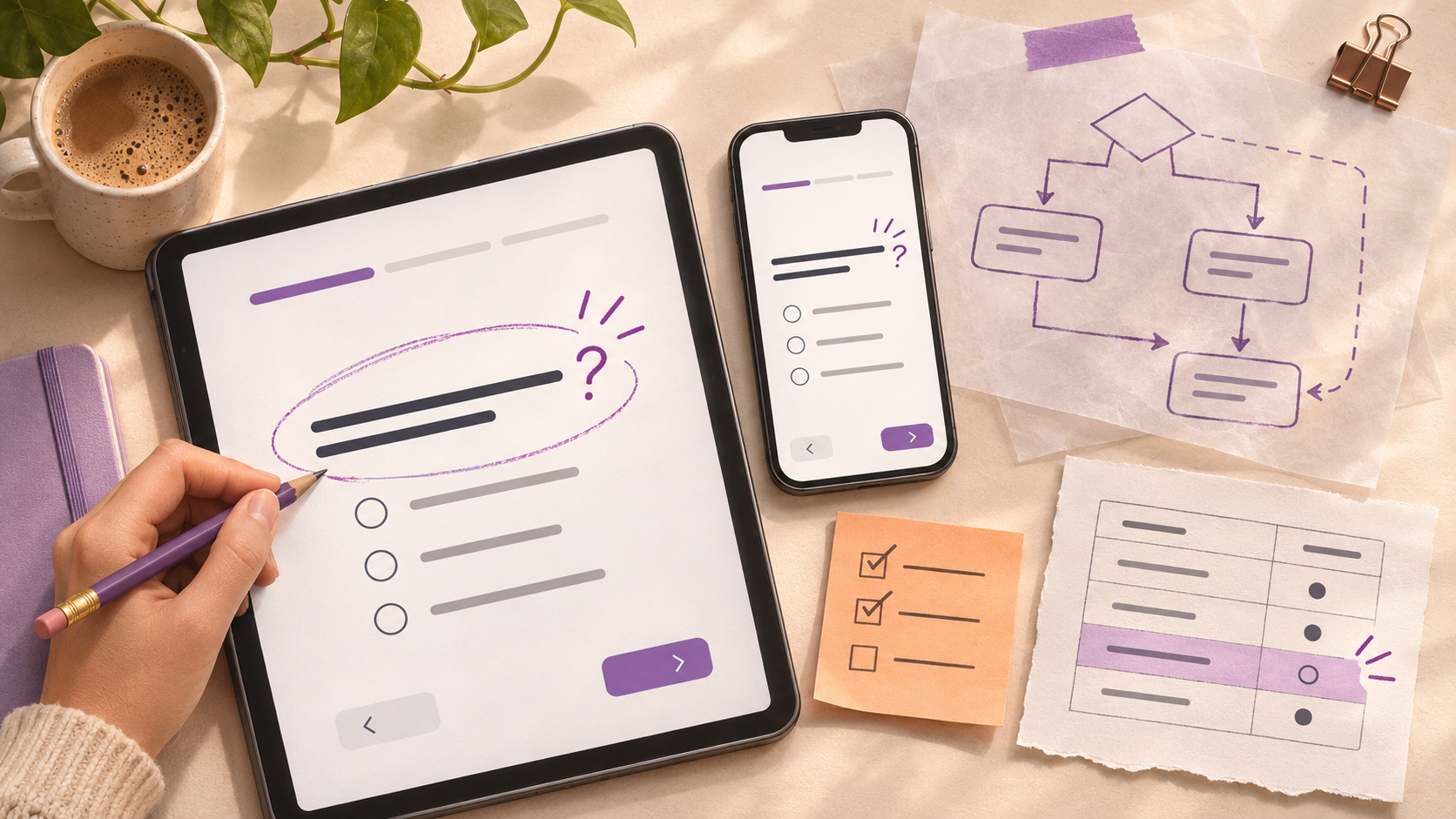
A pilot test is a small rehearsal with people who resemble your intended respondents. It checks whether the questions produce the information you need, not merely whether the form submits. Pilot before sending the survey to the full list.
Write a pilot protocol before testing
A pilot is most useful when it has explicit goals. List the uncertainties: Are respondents interpreting “recent purchase” as the last order or any order this month? Does a branch to the support section work? Can a phone user select all options? Can the team export answers without losing labels? Give pilot participants realistic instructions and avoid coaching them through the survey.
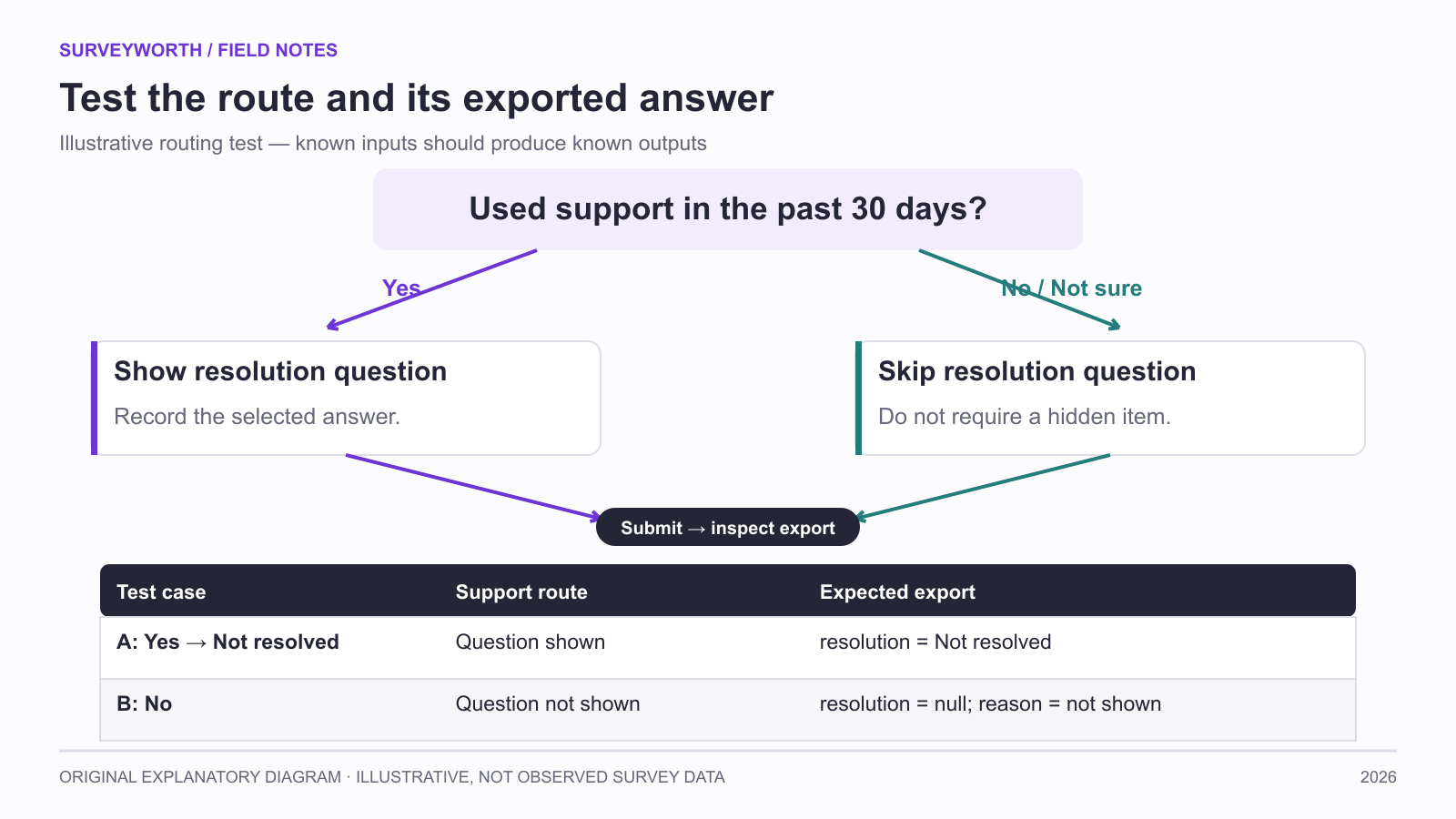
Image source: SurveyWorth original explanatory diagram, 2026. Illustrative, not observed survey data. Based on this article’s “Write a pilot protocol before testing; Watch for silent errors” section(s); not a product screenshot.
Use two passes. The first is a technical walk-through by the survey team. They should try every branch, invalid input, screen size, and submission route. The second is a comprehension test with people similar to the intended audience. Ask them to complete the survey, then probe their interpretations. A participant saying “It was fine” is less informative than explaining what “resolution” meant to them.
Watch for silent errors
Some failures do not prevent submission. A respondent may select “Other” but never see the follow-up text box. A hidden required question may block progress on one branch. A scale may show 1–5 on screen but export labels in reverse order. A quota may silently end a participant who should qualify. Create test answers with known expected exports and compare them line by line.
Test a respondent who chooses every edge option: “Not sure,” “None of these,” “Prefer not to answer,” and a very long open response. Check that the final thank-you message is appropriate for both screened-out and completed respondents. If an incentive is offered, verify that eligible completion is recorded separately from answers when privacy requires it.
Use cognitive interviewing for difficult items
For consequential questions, ask the tester to paraphrase the question and describe how they found an answer. If the intended reference period is 30 days but the tester recalls a lifetime experience, the item is not working. If a term such as “customer support” includes a chatbot to some people but not others, define it or adjust the question. Keep notes on each misunderstanding and the exact revision made.
Do not rely only on coworkers. They know the project’s language and may unconsciously supply missing context. A small varied set of target respondents can reveal different reading levels, device constraints, and experiences. The goal is not a statistically representative pilot; it is to expose avoidable failures before wide distribution.
Know when the pilot is complete
After edits, retest the paths affected by the change. A rewritten screener can alter who sees every later section. A changed answer option can affect a branch and the analysis plan. Freeze a version for launch, store the questionnaire and routing map, and document any later change. Pilot responses should be separated from production data unless the design explicitly permits inclusion. That separation prevents a revised question from being analyzed as though everyone saw the same thing.
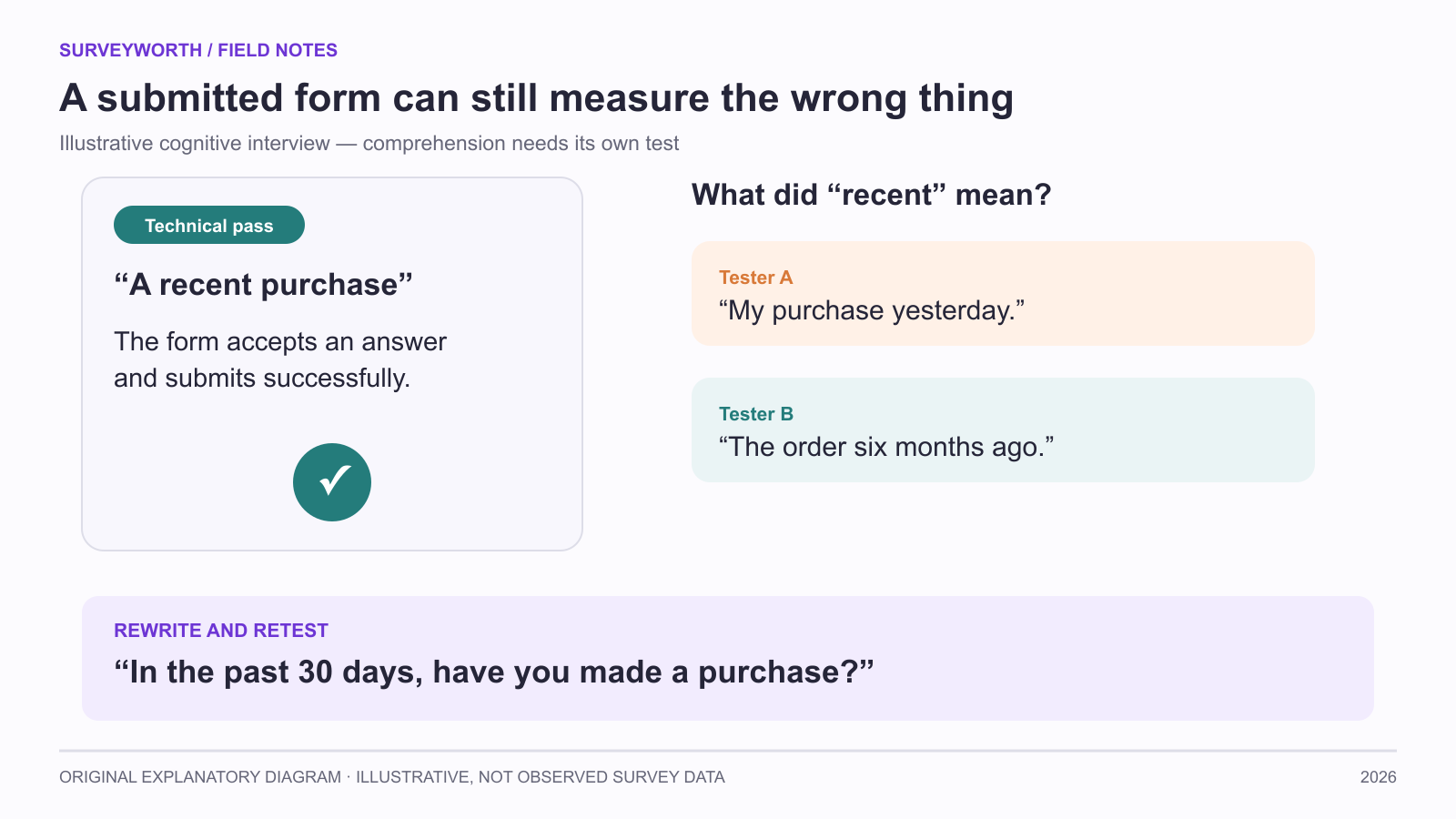
Image source: SurveyWorth original explanatory diagram, 2026. Illustrative, not observed survey data. Based on this article’s “Use cognitive interviewing for difficult items; Know when the pilot is complete” section(s); not a product screenshot.
Freeze the launch version
Save the final questionnaire, branch map, invitation, and expected export structure with a version identifier. Once live, monitor whether answers are arriving in the expected categories, but avoid changing the wording casually. If a critical error requires correction, record when it changed and which responses saw each version. That simple record can prevent a misleading combined result and makes later replication possible.
Use a defect log that changes the launch decision
QuestionPro’s pilot-survey guide recommends trying the instrument with people similar to the intended respondents and watching for wording, timing, and device failures. Involve.me’s question-writing checklist flags double questions and unclear language. A pilot should test the whole route, not merely ask whether the form “looks okay.” Ask participants to paraphrase one critical item, show what they would select for a realistic case, and say when an answer option is missing.
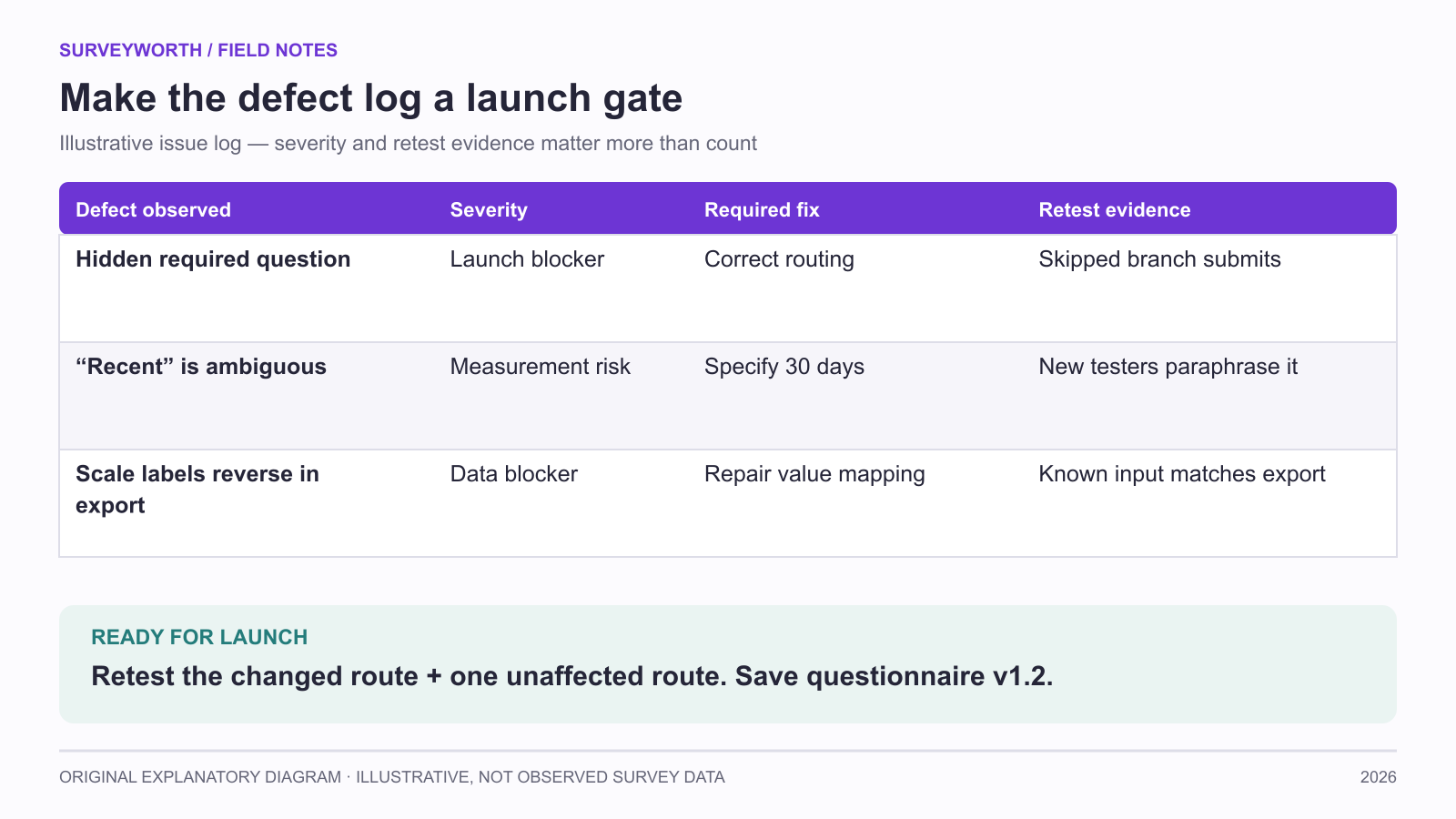
Image source: SurveyWorth original explanatory diagram, 2026. Illustrative, not observed survey data. Based on this article’s “Use a defect log that changes the launch decision; Test export and interpretation together” section(s); not a product screenshot.
| Observation | Evidence | Revision | Retest condition |
|---|---|---|---|
| “Recent” means yesterday to one person and six months to another. | Two paraphrases disagree. | Specify “in the past 30 days.” | New participants interpret the window consistently. |
| Mobile branch returns to an irrelevant item. | Screen recording and test export. | Fix routing and version the form. | Longest branch exports correctly. |
The table is an illustrative log, not data from SurveyWorth users. Keep defect severity separate from frequency: one broken eligibility route can block launch even if only one pilot participant sees it. Typeform’s survey-design review includes pilot and mobile checks, but the acceptance rule should reflect the study’s risk. The question-order guide helps test whether the route primes later answers.
Test export and interpretation together
A form can look correct while exporting an answer under the wrong variable or silently dropping a branch. During the pilot, enter known test responses for each route and compare the export with the screen. Typeform’s logic guide explains how branching changes the respondent path; Alchemer’s skip-logic example shows why irrelevant items should be hidden. After a fix, retest the affected route and one unaffected route. Keep pilot records out of the main analysis if the wording or routing changed. The deliverable is a versioned questionnaire plus an issue log with owner, severity, fix, and retest evidence.
Frequently asked questions
How many people should pilot a survey?
There is no magic count. Start with enough varied target users to expose different interpretations and device paths; continue until major issues are resolved.
Can coworkers test it?
They are useful for technical checks. For comprehension, include people who have not seen the draft and resemble the audience.
Should pilot responses enter the final dataset?
Usually keep them separate after revisions, because wording, routes, or eligibility may have changed. Document any exception and version.
Choose tools for your next survey.
Explore survey creation software and research tools for your project.
Explore survey softwareKeep reading.

How to Test a Marketing Campaign With Surveys
Use surveys before, during, and after a campaign to test message clarity and track audience response without overclaiming causality.
Read the guide
How to Measure Brand Awareness With a Survey
Measure unaided recall and aided recognition with balanced survey questions and careful sampling.
Read the guide
How to Design a Product Testing Survey
Write product concept, prototype, and post-launch survey questions that fit what participants have actually experienced.
Read the guide