
How to Order Survey Questions Without Leading Respondents
Plan a survey question order that reduces priming, keeps the flow understandable, and avoids unnecessary drop-off.

Question order can change what respondents think about before answering. A complaint list shown before an overall rating may make that rating reflect the list. Order is part of survey design, not just page layout.
Prevent early questions from teaching the answer
A survey about delivery could ask, “Did you notice late tracking updates, confusing dates, or damaged packaging?” and then ask for an overall rating. That first question supplies a list of negative possibilities. If the overall rating is meant to capture the respondent’s unprompted evaluation, ask it before the problem checklist. Conversely, if the decision is specifically about a known incident, a short factual description may be needed first. The order must serve the measurement goal.
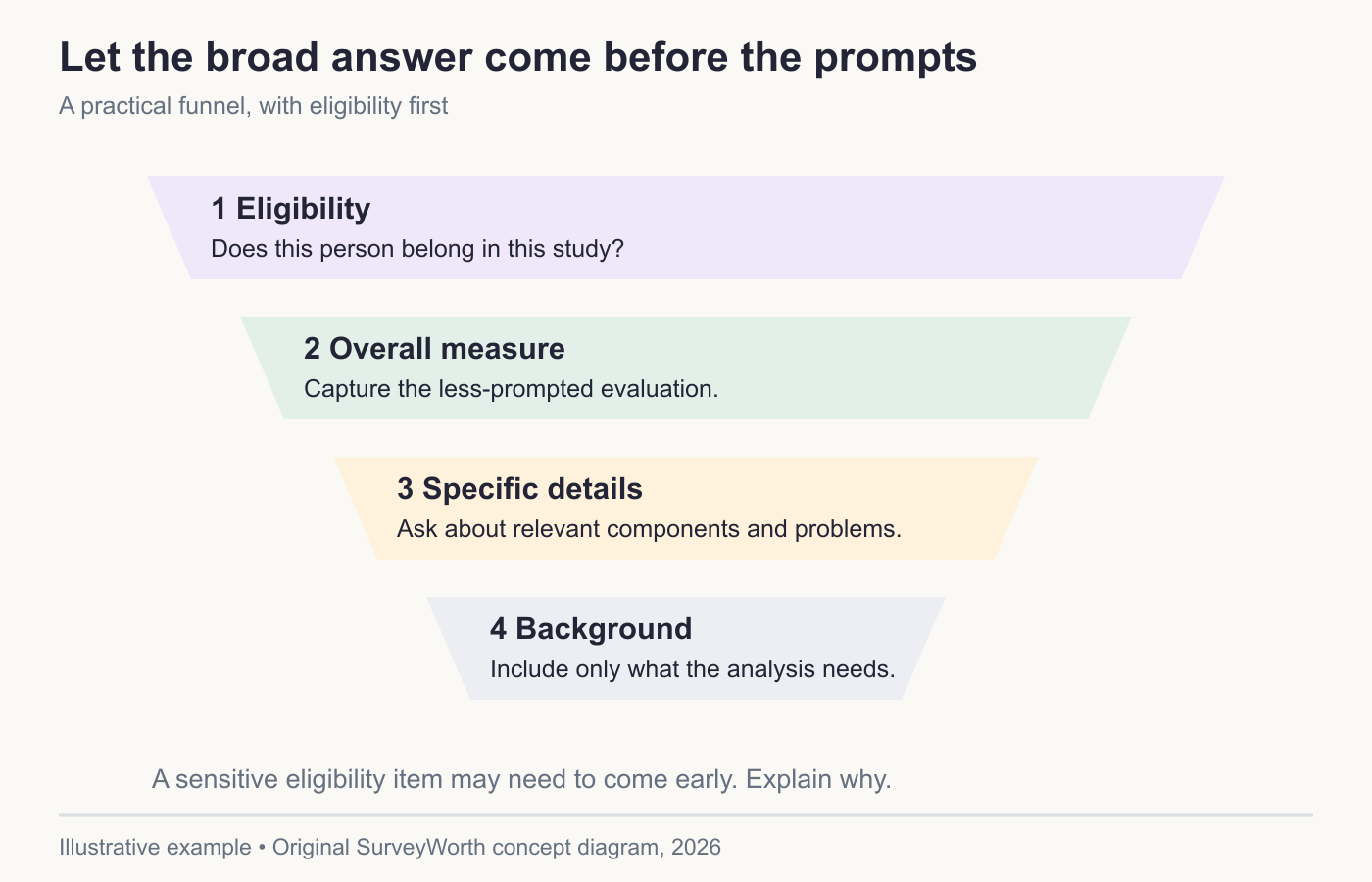
Image source: Original SurveyWorth conceptual diagram, 2026. Illustrative, not observed data or a product screenshot. Based on “Prevent early questions from teaching the answer”.
Use a funnel: broad experience, specific components, causes or explanations, and finally background information. The funnel is a guide, not a rigid rule. Eligibility comes early because ineligible people should not complete the whole form. A sensitive item may come later after the purpose is clear, unless it is essential to eligibility. In either case, explain why it is asked and allow a truthful nonresponse where possible.
Group questions so the context is clear
Related questions should sit together. A respondent should not rate support, switch to pricing, and then return to the same support case without a clear transition. Use short section introductions when the reference point changes: “The next questions are about your most recent support request.” This reduces the chance that someone answers about a different experience.
Check whether a prior question changes the meaning of the next one. A list of competitor brands before unaided brand recall turns a recall question into recognition. An incentive question before a satisfaction rating might frame the interaction as a transaction. A complaint prompt before a global score may make rare problems more salient. Place the less prompted measure first when both are needed.
Keep branching understandable
Skip logic should remove irrelevant questions, not create a maze. Map each path from start to finish. A simple path table can list eligibility, branch condition, next question, and final page. Test every combination that might produce an empty page or a sudden topic jump. If branches produce different survey lengths, describe duration honestly and consider whether a progress bar can stay accurate.
Randomizing unordered answer options can reduce position effects. Do not randomize natural orders such as “Never, Rarely, Sometimes, Often.” If you randomize entire question blocks for a study, verify that definitions and context still appear before the items that need them. Save the randomized assignment with the response for analysis.
Check the experience of the last respondent
Read the form as a person who chooses “none,” “I do not know,” or a negative answer at every opportunity. Does the next question still make sense? Also test a person with the maximum number of relevant experiences. A logical order for the average path can fail at the edges. Those edge paths often reveal the most important design errors before launch.
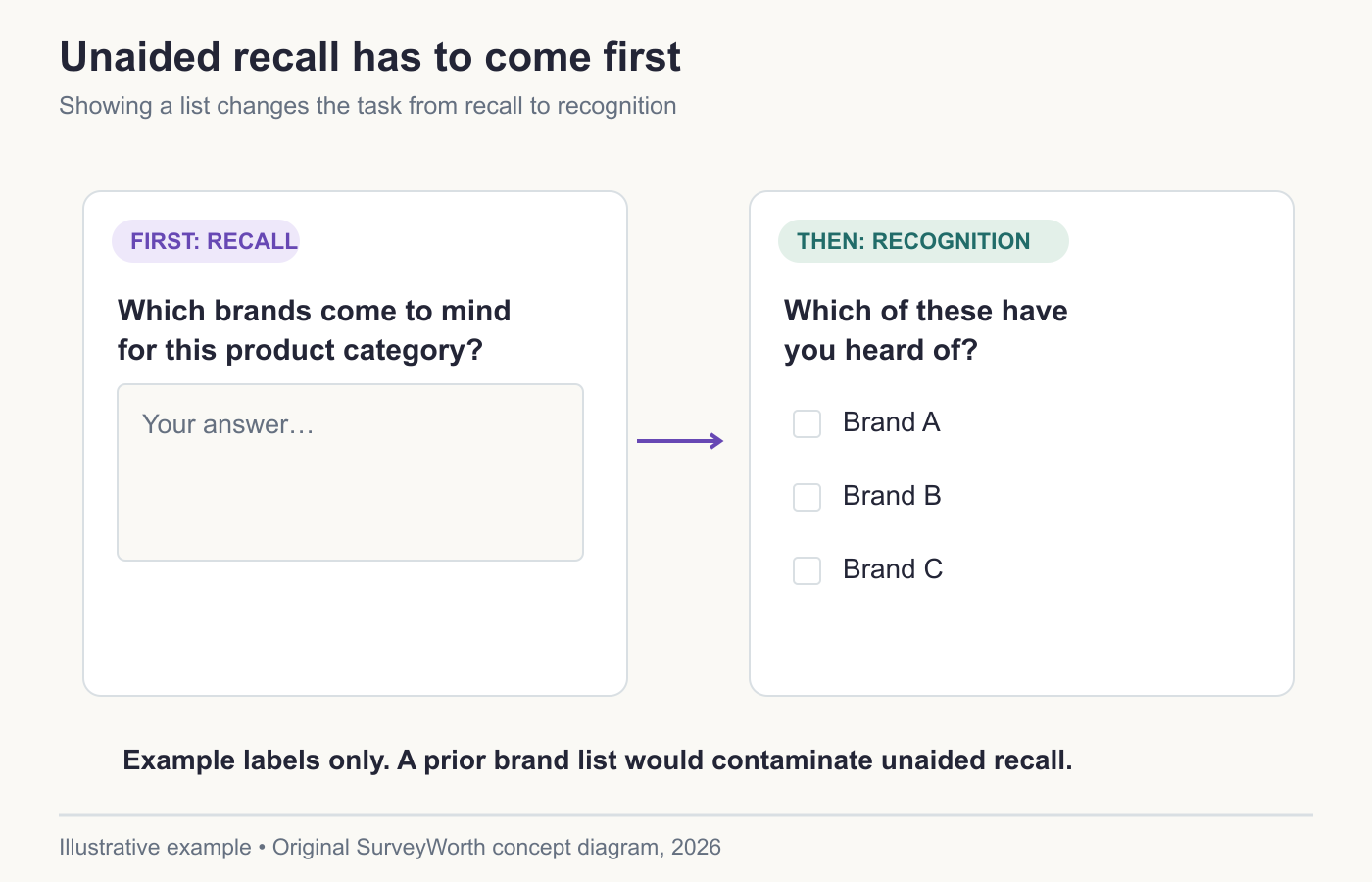
Image source: Original SurveyWorth conceptual diagram, 2026. Illustrative, not observed data or a product screenshot. Based on “Group questions so the context is clear”.
Pilot two versions when order could change the answer
Typeform’s bias review identifies order as a source of influence, and its design guidance recommends testing the route. Suppose a support survey asks “Was your issue resolved?” and “How satisfied were you?” If the form first lists negative examples of poor support, the later satisfaction answer may be primed. Put factual context and outcome before the overall rating, then ask for explanation. Keep demographics or sensitive questions where they are necessary for routing or analysis, rather than applying an automatic “always last” rule.
For a recurring program, randomly assign a small pilot group to the old and proposed orders if the team needs evidence of an order effect. Keep the same eligible population and wording, then compare item nonresponse and answer distributions. A difference suggests the series may break; it does not automatically identify which version is “true.” QuestionPro’s goal-setting framework is a reminder to decide which item must be comparable before rearranging the questionnaire. Archive the version, branch map, and launch date. The neutral wording guide covers bias within an item; order testing covers bias between items.
Freeze the route used for a trend
When a recurring survey changes the order of a satisfaction item, record the first wave using the new route. Comparing the new number directly with an older series may mistake context effects for customer change. Typeform’s longitudinal-survey article emphasizes stable measurement across waves; Pew Research Center’s question-writing guidance notes that order can affect interpretation. Keep the old and new questionnaire versions and, where the decision warrants it, run an overlap pilot. Report item answers with the number who answered as the denominator and show those who saw but skipped the item separately. A trend chart without version history hides a material design change.
A support survey before and after reordering
| Position | Weak sequence | Better sequence |
|---|---|---|
| 1 | “Was the agent slow?” | “What did you contact support about?” |
| 2 | “Did the agent fail to solve it?” | “Was your issue resolved?” |
| 3 | Overall satisfaction | “How satisfied were you with this support interaction?” |
| 4 | Contact channel | “What, if anything, made the interaction difficult?” |
| 5 | Optional comment | Contact channel, if it is not already recorded with notice. |
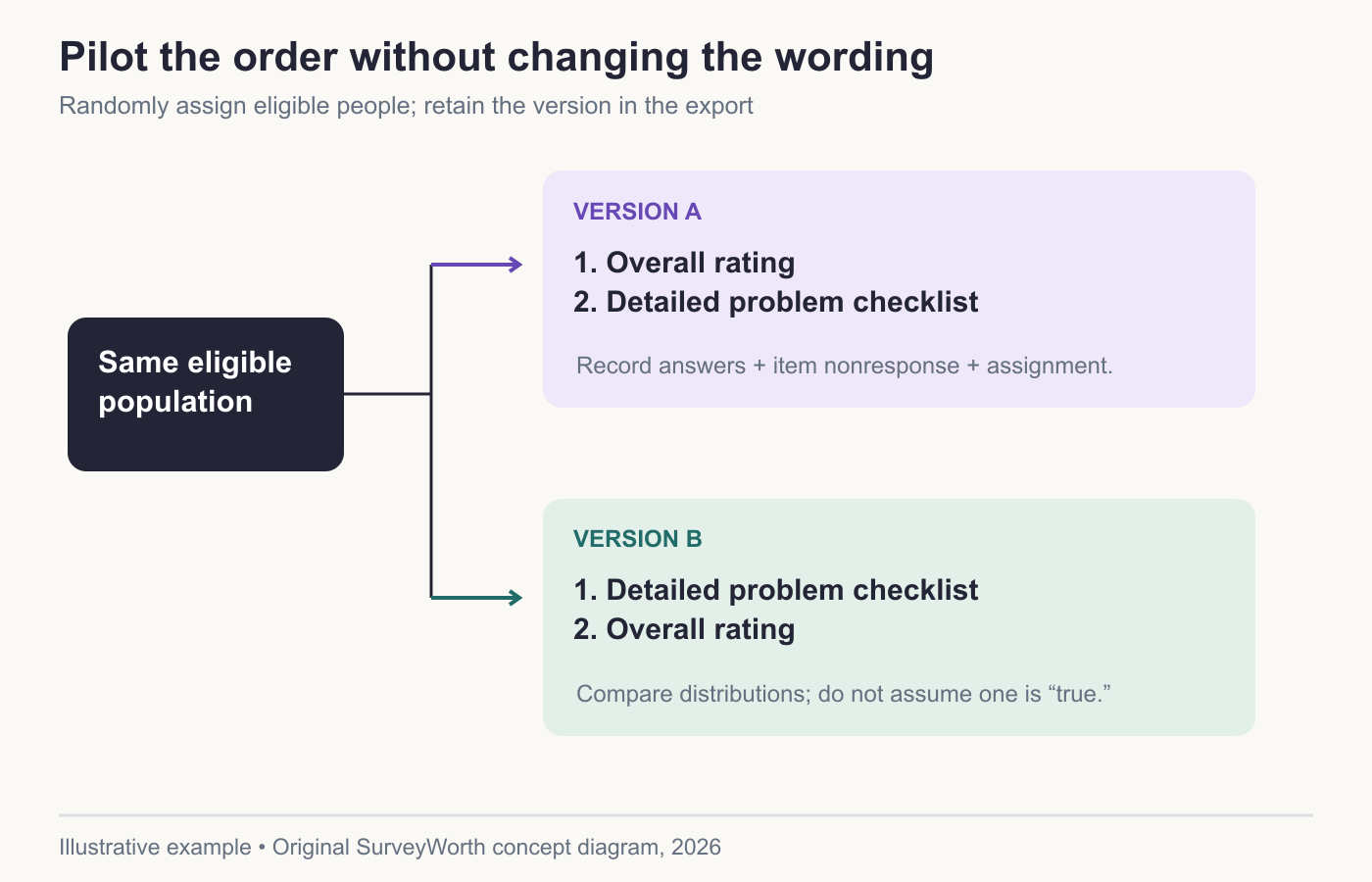
Image source: Original SurveyWorth conceptual diagram, 2026. Illustrative, not observed data or a product screenshot. Based on “Pilot two versions when order could change the answer”.
The weak opening primes a negative assessment before the overall measure. The revised flow establishes the event, measures the outcome, asks for an overall judgment, and then invites explanation. A person whose issue was not resolved can still rate the interaction; resolution and satisfaction should remain separate. If you branch follow-up questions, save a map showing who was eligible to see each item. When reporting an answer percentage, use the number who answered that item as the denominator. Report the number shown the item and the number who skipped it separately; neither is automatically the answer base. If you change order in a recurring study, record the version change and avoid treating the series as perfectly comparable.
Frequently asked questions
Should demographics always be last?
Often, but not always. Put an eligibility demographic early only if it is essential to screening. Explain sensitive requests.
Can I change question order during a live survey?
A major change can make early and later responses less comparable. Version the survey and report the change.
Choose tools for your next survey.
Explore survey creation software and research tools for your project.
Explore survey softwareKeep reading.

How to Test a Marketing Campaign With Surveys
Use surveys before, during, and after a campaign to test message clarity and track audience response without overclaiming causality.
Read the guide
How to Measure Brand Awareness With a Survey
Measure unaided recall and aided recognition with balanced survey questions and careful sampling.
Read the guide
How to Design a Product Testing Survey
Write product concept, prototype, and post-launch survey questions that fit what participants have actually experienced.
Read the guide